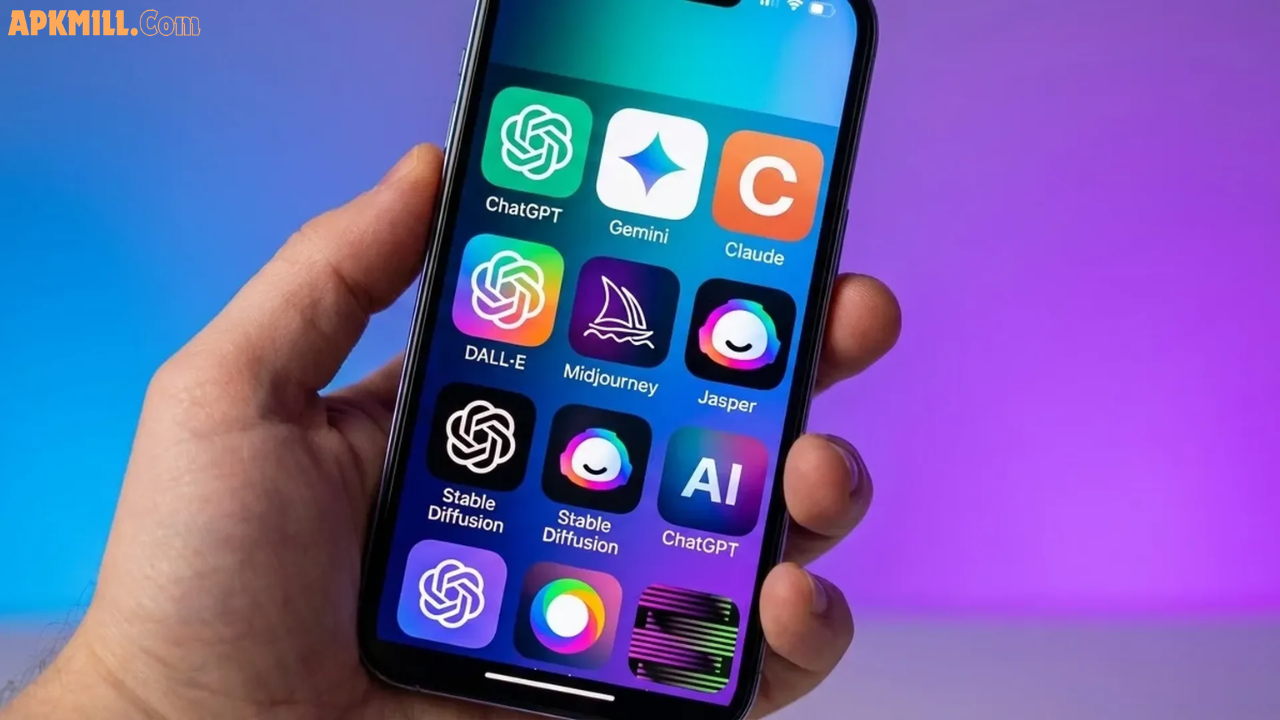

Let’s be honest — there are hundreds of AI apps on the Google Play Store right now. Most of them look amazing in screenshots but disappoint you within five minutes of using them. So instead of wasting your time, this guide cuts straight to the apps that actually deliver real results in 2026 — completely free on Android.
Whether you want a smart chatbot, a research tool, a meeting transcriber, or an AI photo editor, there’s something here for every type of user. Let’s dive in.
What Are Free AI Apps for Android?
Free AI apps for Android are mobile applications powered by artificial intelligence that you can download and use at no cost from the Google Play Store. They use large language models (LLMs), machine learning, and neural networks to help you with tasks like answering questions, writing content, editing photos, transcribing audio, and searching the web.
In 2026, the best free AI tools aren’t “lite” versions with nothing useful — many offer genuinely powerful free tiers that rival paid tools from just a year or two ago. The key is knowing which apps are worth your storage space.
Why Use AI Apps on Android in 2026?
The smartphone AI revolution has moved fast. Here’s why millions of Android users are now relying on AI apps daily:
- Save time: Tasks that took 20 minutes now take 2 minutes
- Work smarter on mobile: Voice input, camera integration, and notifications make AI feel native to Android
- Free access to powerful models: Apps like Gemini and ChatGPT now offer GPT-4 and Gemini Pro capabilities for free
- Cross-app integration: AI tools now connect with Gmail, Google Docs, Zoom, and Slack seamlessly
- No technical knowledge needed: These apps are designed for regular people, not developers
Top 5 Free AI Apps for Android in 2026 (Detailed Review)
1. Google Gemini — Best AI Assistant for Android Users
If you use an Android phone, Gemini is probably already on your device — and for good reason. Google’s flagship AI assistant is deeply built into the Android ecosystem, making it one of the most natural and practical AI tools available in 2026.
What makes Gemini stand out?
Gemini isn’t just a chatbot. It can see your screen, respond to your voice, and work alongside your Google apps without making you switch between windows. Ask it to summarize an email from Gmail, pull directions from Google Maps, or brainstorm ideas while you’re typing in Google Docs — it handles all of this without breaking your flow.
The Gemini Live feature deserves special mention. It allows real-time, back-and-forth voice conversations that actually feel human. You can interrupt it mid-sentence, change topics, and it keeps up like a real conversational partner.
Key Features (Free Tier):
- Real-time voice conversations via Gemini Live
- Multimodal input (text, voice, images, camera)
- Deep integration with Gmail, Google Maps, YouTube, Google Docs
- Gemini Nano runs on-device for privacy-sensitive tasks
- Available as default assistant replacement on Android
Who Should Use It?
Anyone already living in Google’s ecosystem. If your contacts, calendar, emails, and files are in Google’s apps, Gemini ties them all together in a way no other assistant can match on Android.
Practical Tip: Replace your default Google Assistant with Gemini for a smarter, more context-aware experience. Just go to Settings → Apps → Default Apps → Digital Assistant and switch to Gemini.
2. ChatGPT — Best AI Chatbot for Everyday Questions
ChatGPT needs no introduction. Since its launch, it has remained one of the most downloaded AI apps globally — and the Android version in 2026 is genuinely excellent.
The free tier now gives you access to GPT-4o, which is a massive upgrade from the GPT-3.5 model that used to be the default. That means smarter answers, better reasoning, and more natural conversations without paying a dime.
What makes ChatGPT different from other chatbots?
It’s the sheer versatility. ChatGPT can help you write a professional email, explain a complex medical term in simple words, debug a line of code, plan a week’s worth of meals, or just chat when you’re feeling bored. The free version also includes voice mode, so you can speak your questions out loud while doing other things.
One honest limitation: ChatGPT’s responses can sometimes feel slightly “polished” in a way that feels AI-generated. It doesn’t have real-time web access on the free tier the way Perplexity does, so for current news or recent data, you’ll want to combine it with another tool.
Key Features (Free Tier):
- GPT-4o access (previously a paid-only feature)
- Voice mode for hands-free conversations
- Image analysis — describe or ask questions about photos
- Custom GPTs available for specific tasks (writing, coding, tutoring)
- Chat history saved across sessions
Who Should Use It?
Students, writers, content creators, and professionals who need a fast, reliable assistant for everyday tasks. If you’re new to AI, ChatGPT is the easiest starting point.
Pro Tip: Use the voice mode during your commute or while cooking. Just say “Hey, summarize this topic in 3 bullet points” and you’ll have an answer before your coffee’s done.
3. Perplexity AI — Best Free AI App for Research and Accurate Answers
If you’ve ever Googled something and felt frustrated by pages of ads and irrelevant results before finding the actual answer — Perplexity is the app you’ve been waiting for.
Perplexity is an AI-powered search engine that gives you direct answers, backed by real sources you can verify. It’s not just summarizing Wikipedia. It searches the actual web in real time, reads multiple sources, and presents a clear, cited response so you know where each piece of information comes from.
What makes Perplexity special?
In 2026, Perplexity has evolved well beyond basic search. It lets you choose the type of source you want — web results, academic papers, news articles, or social discussions like Reddit. This level of control is rare in a free tool.
The app also has a “Spaces” feature where you can save ongoing research projects, upload documents, and invite collaborators — useful for students working on assignments or professionals tracking a specific topic over time.
Key Features (Free Tier):
- Real-time web search with cited sources
- Multiple source filters: web, academic, news, social
- 5 Pro searches per day (deeper, more detailed responses)
- Upload and analyze up to 3 files per day
- Available in a clean, distraction-free Android interface
Who Should Use It?
Students, journalists, researchers, and anyone who needs trustworthy information quickly. It’s also great for fact-checking things you read on social media.
Real-world example: Say you read a headline claiming “Coffee cures diabetes.” Open Perplexity, type that claim, select “Academic” as your source filter, and within seconds you’ll see what the actual research says — with links to the studies. That’s something Google alone can’t do nearly as cleanly.
4. Otter.ai — Best Free AI Transcription App for Android
Ever sat in a meeting wishing you could just listen instead of furiously scribbling notes? Otter.ai solves that problem. It’s an AI meeting assistant and transcription app that records conversations, transcribes them in real time, and even generates a smart summary when you’re done.
Otter.ai has been around since 2016 and has spent years refining its speech recognition. The result is an app that handles accents, background noise, and multiple speakers better than most competitors in 2026.
What makes Otter.ai genuinely useful?
The live transcription is accurate enough to use as a first draft for meeting notes or interview quotes. It automatically labels different speakers, inserts timestamps, and allows you to tap on any word in the transcript to jump to that exact moment in the recording.
The AI Chat feature is also worth highlighting. After your meeting ends, you can ask Otter questions like “What were the three action items from this call?” and it pulls the answers directly from the transcript. You don’t have to read through everything yourself.
Key Features (Free Tier):
- 300 transcription minutes per month
- Real-time transcription with speaker identification
- AI-generated summaries and action items
- Integrates with Zoom, Google Meet, and Microsoft Teams
- Export transcripts as TXT, DOCX, or PDF
- Works for lectures, interviews, podcasts, and personal notes
Who Should Use It?
Business professionals, students, journalists, content creators, and anyone with accessibility needs who benefits from real-time captions. It’s a genuine productivity booster once you get into the habit of using it.
Honest Limitation: The free plan caps you at 30 minutes per conversation and 300 minutes total per month. For heavy users, this fills up fast. Still, for casual or occasional use, the free tier is genuinely generous.
5. Lensa AI — Best Free AI Photo Editing App for Android
Not every AI app has to be about answering questions or writing emails. Lensa AI proves that artificial intelligence can make your photos look professionally edited with a single tap — no graphic design skills required.
Developed by Prisma Labs, Lensa is a photo editor that uses AI to retouch selfies, enhance portraits, remove backgrounds, and generate creative “Magic Avatars” from your photos in a range of artistic styles.
What makes Lensa stand out from regular photo editors?
The difference is in the AI’s understanding of faces. Standard photo editors give you sliders to adjust brightness and contrast. Lensa understands your face — it identifies skin tone, detects eye bags, recognizes blemishes, and applies targeted corrections that a manual tool would take 10 minutes to replicate.
The Magic Avatars feature turned Lensa into a viral sensation and remains its most popular tool. Upload 10–20 selfies and the app generates 50–200 AI portraits in styles ranging from fantasy artwork to business headshots to anime characters.
Key Features (Free Tier):
- Magic Retouch — one-tap skin smoothing and facial enhancement
- Background remover and background replacement
- Extensive filter library including vintage, cinematic, and artistic styles
- Object removal tool
- Face-focused adjustments: teeth whitening, eye enhancement, blemish removal
Premium Features (Subscription or Credit-Based):
- Magic Avatars (requires credits or subscription)
- Unlimited photo uploads (free version limits daily uploads)
- 7-day free trial available
Who Should Use It?
Social media creators, people who want polished profile photos, anyone exploring AI-generated art, and casual users who want professional-looking selfies without learning Photoshop.
Real Talk: The free version is good, but Magic Avatars — the most exciting feature — requires credits or a subscription. The 7-day free trial is worth activating at least once to see what the app can do.
Head-to-Head Comparison Table
| App | Best For | Free Tier Value | Internet Required | Offline Mode |
|---|---|---|---|---|
| Gemini | Android assistant, Google apps | ⭐⭐⭐⭐⭐ | Yes | Limited |
| ChatGPT | Everyday chat, writing, coding | ⭐⭐⭐⭐⭐ | Yes | No |
| Perplexity | Research, fact-checking | ⭐⭐⭐⭐ | Yes | No |
| Otter.ai | Transcription, meeting notes | ⭐⭐⭐⭐ | Yes (transcription) | Recording only |
| Lensa AI | Photo editing, AI avatars | ⭐⭐⭐ | Yes (AI features) | Basic editing |
Pros and Cons: Quick Summary
Google Gemini
Pros: Native Android integration, multimodal, free Gemini Live voice feature, real-time Google data Cons: Less powerful for pure text tasks compared to ChatGPT; requires Google account
ChatGPT
Pros: Most versatile, GPT-4o free access, huge user community, excellent voice mode Cons: No real-time web search on free tier; can feel slightly generic in tone
Perplexity AI
Pros: Cited sources, real-time web search, academic filter, highly trustworthy answers Cons: 5 Pro searches per day limit; less conversational than ChatGPT
Otter.ai
Pros: Best-in-class transcription, meeting integrations, speaker identification, AI chat on transcripts Cons: 300-minute monthly cap; 30-minute per-session limit; recent user reviews mention occasional reliability issues
Lensa AI
Pros: Best AI photo editor for faces, easy to use, fun Magic Avatars Cons: Magic Avatars are paywalled; daily upload limits on free tier; no built-in camera
Tips to Get the Most Out of These AI Apps
Getting value from AI apps isn’t just about downloading them — it’s about using them smartly. Here are some practical tips that most users overlook:
1. Combine apps by use case. Use Gemini for quick Android tasks, Perplexity when you need accurate facts, and ChatGPT for longer writing or brainstorming. No single app does everything best.
2. Use voice input more. All five of these apps support voice input. Speak your queries instead of typing — you’ll be faster, and AI understands spoken language very well.
3. Be specific with your prompts. Instead of “help me write an email,” say “write a professional email to my manager requesting a one-day leave on Friday due to a personal matter, keep it brief and respectful.” The more specific you are, the better the result.
4. Save your Otter.ai transcripts. Otter’s 300 free minutes per month reset each month, but your saved transcripts stay. Export important ones to PDF or DOCX before they expire.
5. Try Lensa’s free trial strategically. If you want to generate Magic Avatars, activate the 7-day free trial right before an event or occasion where you want new profile photos. Make the most of the unlimited access window.
Who Should Use Each App? (Quick Guide)
- Students → Perplexity (research), ChatGPT (essay help), Otter.ai (lecture notes)
- Professionals → Gemini (productivity), Otter.ai (meeting notes), ChatGPT (emails)
- Content Creators → Lensa AI (photo editing), ChatGPT (captions and ideas), Perplexity (fact research)
- Casual Users → Gemini (everyday assistant), ChatGPT (fun conversations), Lensa (selfie edits)
Frequently Asked Questions (FAQ)
Q1: Are these AI apps completely free on Android?
Yes — all five apps offer meaningful free tiers on Android. Gemini and ChatGPT are the most generous, with access to their best AI models at no cost. Perplexity gives 5 Pro searches daily for free. Otter.ai provides 300 transcription minutes per month. Lensa AI is free to download with optional in-app purchases for features like Magic Avatars.
Q2: Which free AI app is best for students?
For students, Perplexity is the top pick for research because it provides cited sources you can trust and even filters academic papers. ChatGPT is excellent for writing help, essay structuring, and understanding complex topics. Otter.ai is perfect for automatically transcribing lectures so you can focus on listening instead of note-taking.
Q3: Does Google Gemini replace Google Assistant on Android?
Yes, in most cases. Gemini can fully replace Google Assistant as your default digital assistant on Android. It handles most of the same tasks — setting reminders, answering questions, controlling apps — but adds much more conversational AI power, image understanding, and integration with Google Workspace tools.
Q4: Can I use these AI apps in Pakistan or other non-US countries?
Yes, all five apps — Gemini, ChatGPT, Perplexity, Otter.ai, and Lensa AI — are available for download and use in Pakistan and most other countries through the Google Play Store. Some features may have regional availability restrictions, but the core functionality is accessible globally.
Q5: Which AI app works best without using too much mobile data?
Lensa AI is the most data-efficient for basic editing, as simple photo adjustments don’t require constant internet connection. For AI chatbots, Gemini has an on-device Nano model for some functions. In general, all these apps require an internet connection for their primary AI features, so using them on Wi-Fi when possible is recommended.
Conclusion
The best free AI apps for Android in 2026 aren’t just novelties — they’re practical tools that can genuinely save you hours every week. Gemini is your go-to if you’re deep in the Google ecosystem. ChatGPT covers the widest range of everyday tasks. Perplexity wins when you need trustworthy, sourced answers fast. Otter.ai is a game-changer for anyone who sits through meetings and lectures. And Lensa AI makes professional-quality photo editing accessible to everyone.
The best approach? Start with one app that matches your biggest need, spend a week getting comfortable with it, then expand from there. You don’t need to use all five at once.
👉 Get any of these apps today from the Google Play Store — they’re all free to start, and you might just wonder how you managed without them.
Last updated: March 2026 | Based on latest app versions and free tier availability.