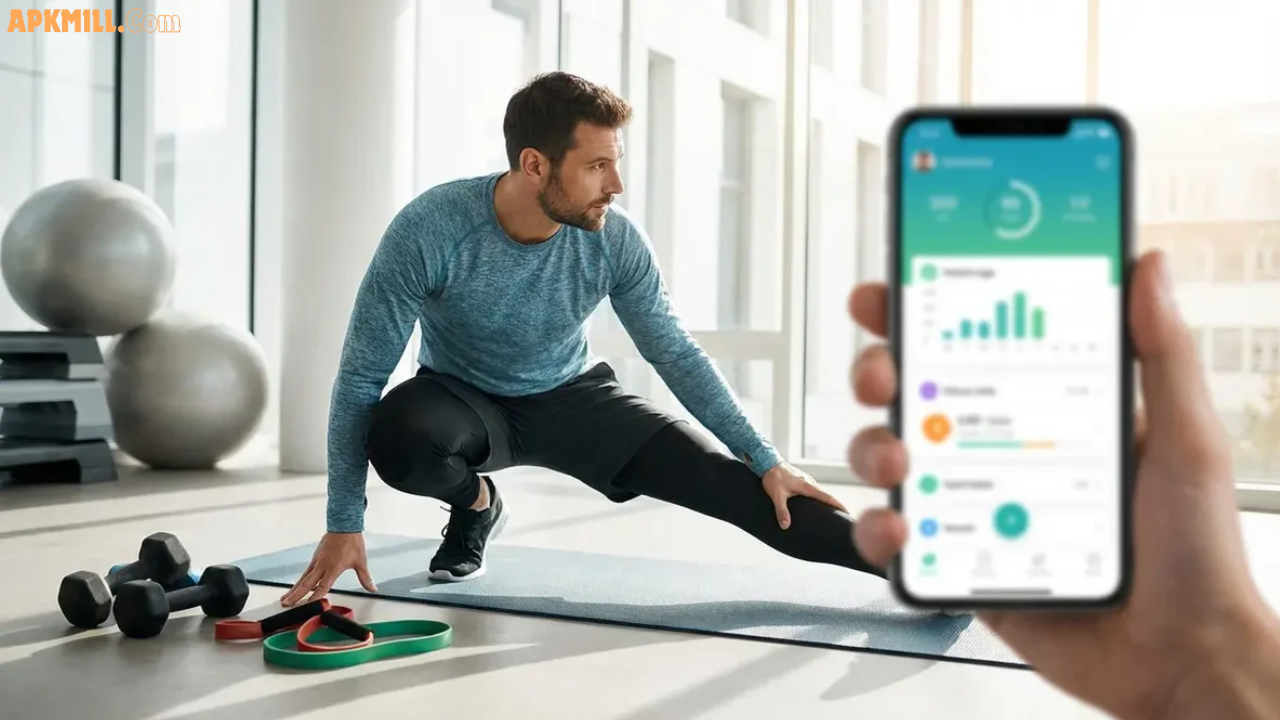

Fitness tracking apps are mobile tools designed to help you monitor physical activity, log workouts, track nutrition, and manage your overall health goals without spending a dime. Whether you’re a casual walker, serious weightlifter, or running enthusiast, these apps give you real-time insights into your progress.
In 2026, the best fitness apps go beyond simple step counting. They connect seamlessly with smartwatches, fitness trackers, and wearable devices to create a complete health ecosystem. Instead of manually entering data everywhere, your workouts sync automatically across devices, giving you a full picture of your health without extra effort.
The beauty of free fitness apps? You get powerful features without the price tag. Most offer robust free versions that handle 70-80% of what serious fitness enthusiasts need.
Why Use Free Fitness & Health Tracking Apps?
Cost-Effective Fitness Management
Why pay for expensive gym memberships or premium apps when free options deliver real results? You can track unlimited workouts, monitor daily steps, and access exercise libraries without spending a rupee.
Personalized Health Insights
Modern fitness apps learn your patterns. They show you how your sleep affects workout performance, track heart rate trends over months, and alert you when something changes. This data helps you make smarter decisions about your health.
Built-In Motivation & Community
Many apps include social features, workout challenges, and community groups. Seeing others’ progress and sharing your own achievements keeps you accountable and motivated.
Seamless Device Integration
Connect your app to smartwatches (Apple Watch, Wear OS), fitness trackers (Fitbit), or smart scales. Everything syncs automatically, eliminating manual data entry and giving you a complete view of your health.
Top 10 Free Fitness & Health Tracking Apps in 2026
1. Hevy – Best Overall Workout Tracker
Hevy stands out as the #1 free gym tracking app with over 12 million users who swear by its simplicity and power. It’s specifically built for weightlifters and strength training enthusiasts.
Key Features:
- One-tap set logging (weight, reps, RPE)
- Built-in rest timer between sets
- Plate calculator to quickly load the bar
- Detailed progress charts showing strength gains
- Custom exercise library with video instructions
- Wearable integration with Apple Watch
Why Choose Hevy? If you’re serious about strength training, Hevy is unmatched in the free app space. The interface is clean, logging is fast (crucial in a crowded gym), and the app respects your time. You see real progress—visualized in easy-to-understand charts—which keeps you motivated.
Compatibility: iOS, Android, Apple Watch Price: Completely free with premium option at $9.99/month
2. Google Fit – Best for Android & Ecosystem Integration
Google Fit remains one of the most reliable free activity trackers, especially if you love Google services and want everything integrated.
Key Features:
- Automatic activity detection (running, walking, cycling)
- Syncs with 200+ fitness apps and devices
- Heart rate monitoring from Wear OS watches
- Integrates with Apple Health (iPhone users)
- Privacy-first approach—data stays in your control
- Clean, ad-free interface
Why Choose Google Fit? If you own Android devices or use Google services (Gmail, Google Calendar), Google Fit feels native. It works silently in the background, tracking activities without draining your battery. Perfect for people who want fitness tracking without thinking about it.
Compatibility: Android (best), iOS, Wear OS, some Fitbit models Price: Free forever
3. Strava – Best for Runners & Cyclists
Strava dominates the running and cycling community with unmatched GPS tracking, social features, and route analysis. If you’re an endurance athlete, Strava is your go-to.
Key Features:
- Precision GPS tracking for runs, cycles, and hikes
- Social feed—follow friends, see their activities
- Segment competition (race specific routes against others)
- Route builder and discovery tools
- Integration with all major wearables (Apple Watch, Garmin, Fitbit)
- Challenge mode to stay motivated
Why Choose Strava? Running or cycling solo? Strava brings the community to you. Compete on local segments, discover new routes others have shared, and celebrate achievements with friends. The social element is what sets Strava apart.
Real Talk: The app is battery-intensive during GPS sessions, and advanced features (deep analytics, training plans) require paid subscription ($79.99/year). But the free tier is genuinely robust.
Compatibility: iOS, Android, Apple Watch, Garmin, Fitbit, Wahoo, Polar, Samsung Price: Free with Summit subscription at $11.99/month or $79.99/year
4. MyFitnessPal – Best for Nutrition + Workouts
MyFitnessPal is the undisputed king of calorie tracking. If weight loss or muscle gain is your goal, nutrition matters as much as exercise—and MyFitnessPal gets both right.
Key Features:
- Largest food database (300M+ foods, both brands and homemade)
- Barcode scanner for instant logging
- Syncs with 50+ fitness apps (Strava, Fitbit, Apple Health)
- Macro tracking (proteins, carbs, fats)
- Daily calorie and nutrient targets
- Recipe builder with automatic calculations
Why Choose MyFitnessPal? You can’t out-exercise a bad diet. MyFitnessPal makes nutrition transparent. Log breakfast in 10 seconds with the barcode scanner, see how many calories you have left for the day, and plan dinner accordingly. It’s that simple.
Honest Review: The free version has ads, but they don’t intrude on your logging experience. Premium ($11.99/month) removes ads and unlocks advanced insights.
Compatibility: iOS, Android, Apple Watch, Fitbit, Garmin, Samsung Health Price: Free with ads, Premium at $9.99/month or $79.99/year
5. Nike Training Club – Best for Guided Home Workouts
No gym? No equipment? Nike Training Club offers hundreds of free, trainer-led workout videos perfect for busy schedules.
Key Features:
- 200+ free workout videos (all guided by real trainers)
- Programs tailored to your goals (strength, cardio, mobility)
- Workouts from 5 to 30+ minutes
- No equipment needed (bodyweight, light dumbbells optional)
- Offline download capability
- Clear, professional instruction
Why Choose Nike Training Club? Perfect if you want structure without overthinking. Press “start,” follow along, done. No guessing whether you’re doing exercises correctly—trainers show you exactly how. Great for beginners or people with limited time.
Compatibility: iOS, Android Price: Completely free
6. Strong – Best Minimal Strength Logger
Strong is the minimalist’s dream: one screen, clean design, lightning-fast logging. If Hevy feels too feature-rich, Strong is your answer.
Key Features:
- Fastest logging interface in the industry
- Workout templates to start sessions instantly
- Auto-rest timer between sets
- Simple progress tracking
- Backup and export data
- Minimal, distraction-free design
Why Choose Strong? Perfect for experienced lifters who don’t need hand-holding. Three taps and your set is logged. The app gets out of your way so you focus on the workout.
Compatibility: iOS, Android Price: One-time purchase around $2.99 or free with ads
7. Fitia – Best for AI-Powered Nutrition Plans
Fitia is the new player combining AI nutrition planning with fitness tracking. If you want a smart nutrition guide (not just a food logger), Fitia is worth trying.
Key Features:
- AI-generated meal plans based on your goals
- Nutrition professionals review the food database
- Automatic shopping list generator
- Family portion adjustment
- Beautiful recipe library
- Integration with fitness apps
Why Choose Fitia? MyFitnessPal logs what you eat; Fitia tells you what to eat next. The AI learns your preferences and adjusts recommendations. Great for people who feel lost in nutrition planning.
Compatibility: iOS, Android Price: Free tier available, Premium for personalized plans
8. JEFIT – Best Exercise Database
JEFIT gives you access to 1,800+ exercises with photos, videos, and detailed instructions. It’s the Gym Bible in app form.
Key Features:
- Largest exercise library (1,800+ exercises)
- Video demos and written instructions for each
- Customizable workout routines
- Progress tracking and body measurement logs
- CSV export for data ownership
- Active community sharing routines
Why Choose JEFIT? You can build any workout imaginable. Whether you’re following a famous program or creating your own, JEFIT has the exercises and tools. The exercise library alone is worth downloading.
Compatibility: iOS, Android Price: Free with premium unlock at $10.99/month
9. Samsung Health – Best for Samsung Ecosystem Users
If you own a Samsung phone or smartwatch, Samsung Health is your natural choice for seamless integration.
Key Features:
- Automatic syncing with Samsung wearables
- Activity tracking (steps, distance, calories)
- Heart rate and blood pressure monitoring
- Sleep tracking
- Nutrition and hydration tracking
- Integration with other health apps
Why Choose Samsung Health? If you’re already in the Samsung ecosystem, Samsung Health feels native. Everything syncs without friction, and the experience is polished.
Compatibility: Android (Samsung devices) Price: Free
10. Fitbit App – Best for Fitbit Device Owners
If you wear a Fitbit, the Fitbit app is your command center—syncing all data from your band, watch, or scale.
Key Features:
- Syncs with all Fitbit wearables
- Daily step, heart rate, and sleep insights
- Water and nutrition tracking
- Guided breathing sessions
- Challenges and social features
- Integration with MyFitnessPal
Why Choose Fitbit? Fitbit devices are purpose-built hardware; the app is the perfect companion. If you wear a Fitbit, you’re already all-in.
Compatibility: iOS, Android Price: Free (Premium subscriptions for deeper insights)
Comparison Table: Free Fitness Apps at a Glance
| App | Best For | Strength Training | Cardio/Running | Nutrition | Wearable Sync | Cost |
|---|---|---|---|---|---|---|
| Hevy | Gym lifters | ⭐⭐⭐⭐⭐ | ⭐⭐⭐ | Basic | Apple Watch | Free |
| Google Fit | Android users | ⭐⭐⭐ | ⭐⭐⭐⭐ | No | Excellent | Free |
| Strava | Runners/cyclists | ⭐⭐⭐ | ⭐⭐⭐⭐⭐ | No | Excellent | Free |
| MyFitnessPal | Nutrition | ⭐⭐⭐⭐ | ⭐⭐⭐⭐ | ⭐⭐⭐⭐⭐ | 50+ apps | Free |
| Nike Training Club | Home workouts | ⭐⭐⭐⭐ | ⭐⭐⭐⭐ | No | No | Free |
| Strong | Fast logging | ⭐⭐⭐⭐⭐ | ⭐⭐⭐ | No | Limited | Free/Paid |
| Fitia | Smart nutrition | ⭐⭐⭐ | ⭐⭐⭐ | ⭐⭐⭐⭐⭐ | Yes | Free |
| JEFIT | Exercise library | ⭐⭐⭐⭐ | ⭐⭐⭐ | No | Limited | Free |
| Samsung Health | Samsung users | ⭐⭐⭐ | ⭐⭐⭐⭐ | ⭐⭐⭐ | Excellent | Free |
| Fitbit App | Fitbit owners | ⭐⭐⭐ | ⭐⭐⭐⭐ | ⭐⭐⭐⭐ | Excellent | Free |
How to Choose the Right Fitness App for Your Goals
Step 1: Define Your Primary Goal
Are you lifting weights? Start with Hevy or Strong. Both are built specifically for strength training with fast logging and detailed progress tracking.
Are you running or cycling? Strava is your best friend. Superior GPS tracking, route discovery, and a thriving community of endurance athletes.
Do you want to lose weight? MyFitnessPal is non-negotiable. Nutrition is 70% of weight loss; this app makes it transparent and actionable.
Are you at home with no equipment? Nike Training Club. Hundreds of free videos, zero thinking required.
Step 2: Check Wearable Compatibility
If you own a smartwatch (Apple Watch, Wear OS, Fitbit, Garmin):
- Make sure your app syncs with it
- Test the sync reliability
- Check if battery drain is acceptable
Pro tip: Use Google Fit as a central hub if you use multiple apps. It integrates with most wearables and acts as a unified dashboard.
Step 3: Test Before Committing
Download 2-3 apps that match your goal. Use each for a full week:
- Does logging feel natural?
- Are you checking the app daily?
- Does it motivate you?
- Is it slowing your workout?
The best app is the one you’ll actually use.
Step 4: Consider Integrations
If you use other health apps:
- MyFitnessPal → syncs with Strava, Apple Health, Fitbit
- Google Fit → syncs with 200+ apps
- Apple Health → works with almost everything on iOS
Stacking apps smartly multiplies their power.
Pros & Cons of Free Fitness Apps
Pros ✅
Zero Cost Why pay $10-15 monthly for something free? Most free versions cover everything 80% of users need.
No Subscription Trap Download, use forever without pressure to upgrade. Upgrade only when you genuinely want advanced features.
Privacy-Conscious Options Apps like Google Fit and Strong let you control your data completely. No mysterious syncing to external services.
Seamless Wearable Integration Modern apps sync automatically with smartwatches, scales, and fitness trackers—no manual data entry.
Active Communities Free users access active communities, challenges, and social motivation just like paid users.
Cons ❌
Limited Advanced Analytics Premium tiers unlock detailed insights (VO2 max trends, workout periodization recommendations). Free versions keep it simple.
Ads in Some Apps MyFitnessPal and others show ads in free versions. They don’t interrupt logging, but they’re present.
Paywalled Features Some apps gate training plans, form coaching videos, or advanced metrics behind premium. Test the free version first to ensure it covers your needs.
Less Support Free users don’t get priority customer support. But honestly, most issues are solved via FAQ or community forums.
Slower Updates Paid app users sometimes get new features first. The gap is usually small.
Essential Features to Look for in a Fitness App
1. Fast, Intuitive Logging
The best app in the world sits unused if logging takes 30 seconds per set. Look for apps where you tap 2-3 times and you’re done.
2. Comprehensive Exercise Library
Make sure the app has exercises named correctly with clear instructions. This matters more than fancy charts.
3. Progress Visualization
You need to see progress—whether it’s strength gains, miles run, or calories lost. Charts should be clear and motivating.
4. Offline Functionality
What if WiFi drops mid-workout? Your app should log workouts offline and sync later.
5. Data Export Options
Choose apps where you own your data. Ability to export as CSV or PDF means you’re not locked in.
6. Privacy Controls
Avoid apps that auto-share your data or require constant location permission. Read the privacy policy.
7. Wearable Sync
If you own a smartwatch, seamless syncing with your device is non-negotiable.
Tips for Getting the Most Out of Your Fitness App
1. Set One Primary Metric
Don’t track 10 different metrics. Pick one: strength gains, weekly miles, or daily steps. Master that first.
2. Check Your App Daily
The magic happens through consistency. Spending 30 seconds logging your workout builds the habit. Apps are only effective if you use them.
3. Use Templates & Routines
Most apps let you save favorite workouts. This saves time and ensures you’re following a real plan.
4. Combine Apps Strategically
You don’t need one app doing everything:
- Hevy for strength + Strava for cardio
- MyFitnessPal for nutrition + any workout tracker
- Google Fit as your central dashboard
5. Review Weekly (Not Daily)
Don’t obsess over daily numbers. Review your weekly trends. Is strength increasing? Are miles adding up? This long-term view keeps you sane and motivated.
6. Turn On Notifications (Wisely)
Let your app remind you to log workouts or daily steps. But mute push notifications that feel like spam.
7. Join Challenges
Most apps have built-in challenges or community competitions. Joining one friend in a 30-day challenge beats going solo.
Free vs. Premium: Is Upgrading Worth It?
When Premium Makes Sense
You’re Serious About Progress If you’ve used the free version for 3+ months and see yourself training long-term, premium features (advanced analytics, training plans) add value.
You Have Specific Needs Want personalized training recommendations? Form coaching videos? Advanced heart rate analysis? Premium delivers.
You Want Ad-Free Experience If ads irritate you during workouts, paying $10/month might be worth the peace of mind.
When Free Is Enough
You’re Starting Out Your first 3-6 months should be on free versions. Build the habit first, optimize later.
You Have Simple Goals Want to count steps, log workouts, track calories? Free versions do this perfectly.
Budget Matters Real talk: free is genuinely powerful now. You don’t need premium to get results.
Our Recommendation: Start free. Upgrade only if the free version stops meeting your needs after 2-3 months of consistent use.
Common Mistakes to Avoid
❌ Mistake #1: Downloading Too Many Apps
You don’t need 5 fitness apps. Pick one main tracker + one secondary (like Strava for cardio). Too many apps = confusion and inconsistency.
❌ Mistake #2: Ignoring Nutrition
You can’t out-exercise your diet. If weight loss is your goal, ignoring nutrition = failure. Pair a workout app with MyFitnessPal minimum.
❌ Mistake #3: Perfectionism Over Consistency
Logging 70% of your workouts consistently beats logging 100% for two months then quitting. Consistency > perfection.
❌ Mistake #4: Not Using Wearables Properly
A smartwatch without an app to read its data is just a watch. Sync your wearable with a compatible app; the insights multiply.
❌ Mistake #5: Forgetting to Export Your Data
If you ever switch apps, can you take your 6 months of data with you? Choose apps that let you export as CSV.
❌ Mistake #6: Ignoring Privacy Settings
Check what data your app collects and shares. Disable location sharing if unnecessary. Read privacy policies.
Latest Updates & New Features in 2026
Wearable Integration Level Up
In 2026, app-wearable sync is smoother than ever. Apple Health, Google Health Connect, and proprietary APIs now work seamlessly. Expect real-time syncing instead of hourly delays.
AI-Powered Recommendations
Apps like Fitia are leading the charge with AI coaches. Your app now learns your preferences, suggests nutrition timing, and recommends workout intensity adjustments.
Advanced Sleep Insights
Sleep tracking has evolved beyond “8 hours good, 6 hours bad.” Apps now analyze sleep stages and connect them to workout performance and recovery.
Cross-App Data Sharing
2026 brought better standardization. Apps that historically didn’t talk now sync through Google Health Connect and Apple Health. Your data flows where you need it.
Enhanced Privacy Controls
Users finally have granular control over what data apps collect. Good apps now explain exactly what they track and why.
Frequently Asked Questions (FAQs)
Q1: Is It Safe to Use Free Fitness Apps?
A: Yes, if you choose wisely. Reputable apps (Hevy, Google Fit, Strava, MyFitnessPal) have strong security and privacy practices. They make money through premium features or smart partnerships, not by selling your data. Always check privacy policies before downloading.
Q2: Can I Use Multiple Fitness Apps Together?
A: Absolutely. Many people use Hevy for strength + Strava for cardio + MyFitnessPal for nutrition. The trick is synchronizing them through Google Fit or Apple Health so data flows smoothly. Avoid duplicating the same tracking in multiple apps.
Q3: Do I Need a Smartwatch to Track Fitness?
A: No. A smartphone alone is sufficient for most fitness goals. Smartwatches (Apple Watch, Wear OS) add convenience—tracking activities without your phone—but they’re optional. If budget is tight, skip the watch and use your phone.
Q4: Which App Is Best for Weight Loss?
A: MyFitnessPal + any workout tracker. Weight loss is 70% nutrition, 30% exercise. MyFitnessPal makes nutrition transparent; pair it with Hevy or Strava for workouts. This combination is unbeatable.
Q5: Can I Switch Between Apps Without Losing My Data?
A: Depends on the app. Most let you export data as CSV (Hevy, JEFIT) or integrate through Apple Health/Google Fit. Before switching, check if the new app can import your old app’s data. Never switch without exporting first.
Q6: Which App Drains Battery the Least?
A: Google Fit (runs silently in background) and Strong (minimal features) are battery-efficient. Strava with GPS on drains the most—expect 15-20% battery per hour-long run. If battery matters, disable GPS or use WiFi-based apps like Nike Training Club.
Q7: What’s the Best App for Beginners?
A: Nike Training Club or FitOn for workouts + MyFitnessPal for nutrition. These apps hold your hand without overwhelming you. Once you build confidence, graduate to apps like Hevy for strength or Strava for cardio.
Q8: Can Free Fitness Apps Actually Help Me Reach My Goals?
A: Yes, 100%. The app doesn’t build muscle—you do. The app’s job is to track progress and keep you accountable. Free versions do this perfectly. Your consistency matters infinitely more than premium features.
Q9: How Often Should I Check My Fitness App?
A: Minimum: once daily to log your workout. Ideal: once daily to log + once weekly to review trends. Don’t obsess over daily numbers. Instead, ask “Am I stronger/faster/leaner than last month?”
Q10: Do Fitness Apps Work Without Internet?
A: Many apps now sync offline. You log workouts without internet, and they sync to the cloud when reconnected. Check the specific app’s capabilities—some (like Hevy) sync reliably offline, while others need internet immediately.
Conclusion
The best free fitness and health tracking app in 2026 depends on your specific goals, device ecosystem, and workout style. There’s no single “perfect” app—only the right app for you.
Here’s our honest recommendation:
- For strength training: Download Hevy. It’s free, powerful, and loved by 12+ million lifters worldwide.
- For running/cycling: Choose Strava. The GPS accuracy, community, and social motivation are unmatched.
- For weight loss: Pair MyFitnessPal (nutrition) with any workout tracker. Nutrition is where weight loss happens.
- For home workouts: Start with Nike Training Club. Free, guided, zero thinking required.
- For complete health tracking: Use Google Fit as your central hub, syncing with specialized apps.
The single most important rule? Download the app, start using it today, and commit to logging for 3 weeks straight. That’s where the magic happens. The app’s job is to track progress; your job is to show up consistently.
Your health is the most valuable asset you own. A free app that you use consistently beats an expensive app collecting digital dust. Pick one, start now, and thank yourself in 90 days when you see real progress.
Ready to start? Download your chosen app right now. Don’t overthink it. Set up your profile, log your first workout, and build from there. That’s how transformation starts—one logged workout at a time.