
Let’s be honest — the Google Play Store is a jungle. With over 3 million apps competing for space on your phone, finding ones that actually make a difference feels like searching for a needle in a haystack. I’ve been testing Android apps for years, and every few months I do a deep clean: delete what’s collecting digital dust and replace it with apps that genuinely earn their space.
This March 2026 list is the result of weeks of real-world testing. No filler, no apps you already know. Just 20 Android apps that I personally recommend and that millions of users are downloading right now.
What Makes an App “Must-Have” in 2026?
Before we jump in, let me quickly explain my criteria. The best Android apps in 2026 share a few common traits: they solve real everyday problems, they don’t drain your battery or spy on your data, and they feel smooth on both budget and flagship devices.
I also paid attention to three major trends shaping the Android app landscape this year:
- AI integration — almost every top app now has smart, context-aware features
- Privacy by default — on-device processing is becoming the new standard
- Offline resilience — the best apps work even without a strong internet signal
With that said, let’s get into the list.
Top 20 Must-Have Android Apps in March 2026
1. ChatGPT — Best AI Assistant App for Android
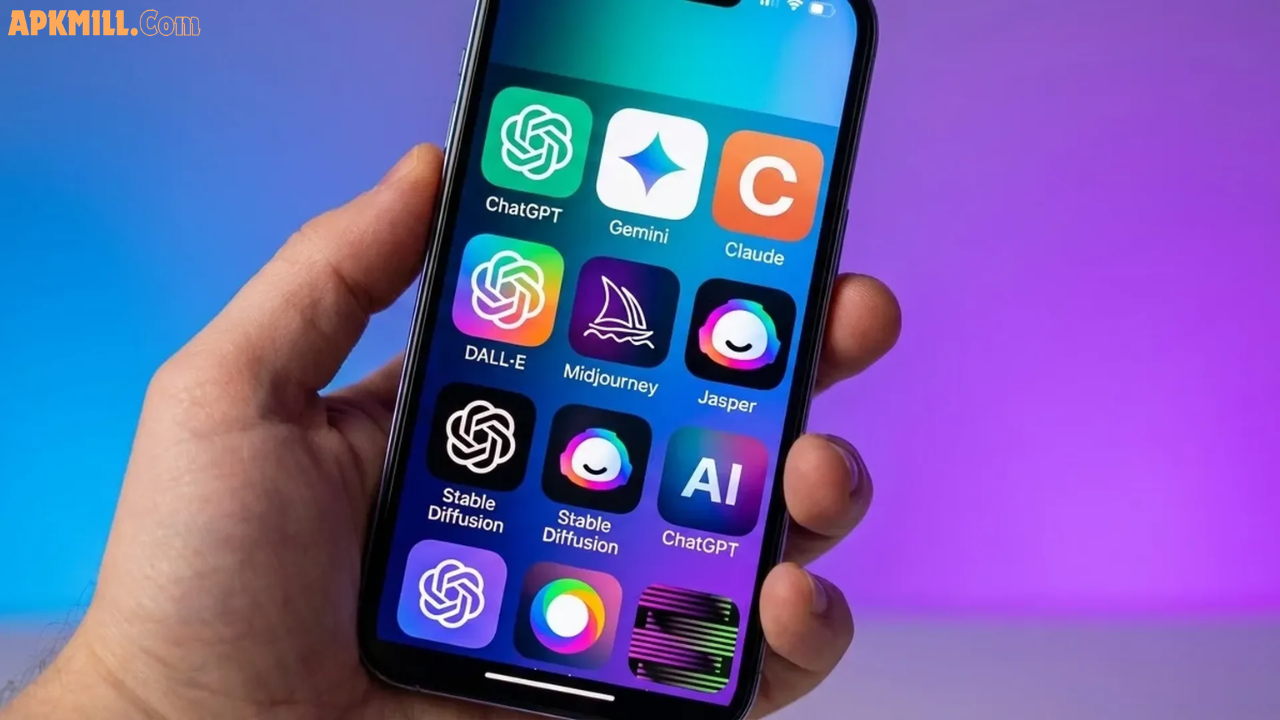
If there is one app that has changed how people use their phones in the last two years, it is ChatGPT. The 2026 version is not just a chatbot — it is a full AI workspace in your pocket.
You can point your camera at a document, a math problem, or even a restaurant menu and ask questions about it in real time. The voice mode feels genuinely natural — less robotic, more like talking to a knowledgeable friend.
Best for: Students, writers, freelancers, professionals
Key Features:
- Voice conversations with real-time responses
- Image understanding (camera-to-answer)
- Memory feature — it remembers your preferences across chats
- Integrates with other Android apps
Pro Tip: Create a dedicated chat called “Work Desk” and use it daily for emails, summaries, and brainstorming. Over time, ChatGPT learns your tone and gets noticeably more helpful.
2. Google Gemini — Android’s Built-In AI Powerhouse
While ChatGPT is the fan favourite, Google Gemini has a unique advantage: deep Android system integration. It can interact with your Gmail, Calendar, Maps, and other Google apps in ways that third-party AI tools simply can’t.
In March 2026, Gemini’s multimodal features have matured significantly. You can ask it to summarise your unread emails, set reminders based on a photo of a flyer, or generate a travel itinerary with one voice command.
Best for: Android power users already in the Google ecosystem
Key Features:
- Native integration with Google apps
- Multimodal input — text, voice, and images
- Agentic features — takes actions on your behalf
- Available as a home screen overlay
3. Notion — The Ultimate All-in-One Productivity App
If your digital life is scattered across a dozen different apps — notes here, tasks there, ideas somewhere else — Notion is the cure.
The 2026 mobile version is dramatically better than what it was even a year ago. Home screen widgets, offline editing, and AI-powered blocks that turn messy notes into structured project plans make this one of the most powerful productivity apps for Android right now.
Best for: Students, content creators, remote workers, project managers
Key Features:
- Notes, databases, wikis, and task boards in one app
- AI blocks for summarising and restructuring content
- Offline editing with automatic sync
- Home screen widgets for quick access
Pro Tip: Keep it simple. Create just three databases — Tasks, Notes, and Projects — and you will cover 90% of your productivity needs without getting overwhelmed.
4. Todoist — Best Task Manager for Android in 2026
Some people swear by Notion for tasks. Others prefer a clean, dedicated task manager. If you are in the second camp, Todoist is still the best option available on Android.
It has a clean interface, smart natural language input (type “Call John next Friday at 3pm” and it creates the task automatically), and deep integrations with Google Calendar, Gmail, and Slack.
Best for: People who love simple, focused to-do list apps
Key Features:
- Natural language task input
- Priority levels and recurring reminders
- Cross-platform sync (Android, web, desktop)
- Google Calendar integration
5. Canva — Best Graphic Design App for Android
You do not need to be a designer to create stunning visuals in 2026. Canva has made professional-quality design accessible to literally everyone.
Whether you need a social media post, a presentation slide, a YouTube thumbnail, or even a logo — Canva’s AI-powered tools (Magic Resize, background remover, text-to-image generator) make it shockingly fast.
Best for: Content creators, small business owners, students
Key Features:
- Thousands of templates for every use case
- AI Magic Resize — one click adapts designs to any platform
- AI background remover
- Collaboration features for teams
6. Spotify — Best Music and Podcast App
Yes, everyone already knows Spotify. But the 2026 version deserves a mention because it has genuinely evolved. The AI DJ feature creates a personalised radio station that adapts in real time based on your mood, time of day, and listening history.
Wear OS integration means your playlists now sync to your smartwatch, and the Android Auto experience is cleaner than ever.
Best for: Music lovers, podcast listeners, commuters
Key Features:
- Over 100 million tracks
- AI DJ for personalised listening
- Spatial Audio support
- Seamless Android Auto and Wear OS integration
7. Google Photos — Best Photo Management App
Your phone’s camera roll can become a chaotic mess fast. Google Photos remains the gold standard for managing, backing up, and searching your photos on Android.
The 2026 update includes improved AI-powered editing tools, better facial recognition (now with on-device processing for privacy), and a powerful search that understands natural language — type “beach sunset 2024” and it will find exactly what you need.
Best for: Anyone who takes photos on their Android phone (so, everyone)
Key Features:
- Free unlimited backup (with Google One storage)
- AI-powered search and editing
- Shared albums and collaborative libraries
- On-device processing for sensitive photo recognition
8. Headspace — Best Meditation and Mindfulness App
Stress, anxiety, and burnout are at record highs in 2026. Headspace has become one of the most-recommended mental health tools on Android — and for good reason.
The app’s new AI-powered personalisation suggests meditation sessions based on your current mood and stress levels. New sleepcasts, focus music, and a “Mindful Minutes” tracker make it easy to build a consistent practice even if you have just 5 minutes a day.
Best for: Anyone dealing with stress, anxiety, or sleep issues
Key Features:
- Science-backed meditation techniques
- AI-personalised session recommendations
- Sleep music and sleepcasts
- Mindful Minutes daily tracker
9. One Sec — Best Screen Time and Digital Wellbeing App
Most screen time apps feel like prisons. You put up barriers, you break them in a moment of weakness, and then you delete the app out of frustration. One Sec takes a different approach.
Instead of blocking apps outright, it adds a small pause — a brief breathing moment — before you open distracting apps like Instagram or TikTok. That tiny friction is surprisingly powerful in breaking the reflex habit of mindless scrolling.
Best for: Anyone trying to reduce phone addiction or mindless scrolling
Key Features:
- Friction-based (not hard-block) approach to screen time
- Works with any app you choose
- Breathing exercises as micro-interruptions
- Detailed usage insights and trends
10. Signal — Best Private Messaging App
Privacy in messaging has gone from a niche concern to a mainstream priority. Signal remains the gold standard for private communication on Android.
End-to-end encrypted by default, no ads, no data collection, and open-source code that independent security researchers can audit. In 2026, Signal added improved group video calls, better media sharing, and a “Notes to Self” feature that works as a private clipboard.
Best for: Privacy-conscious users, journalists, professionals
Key Features:
- Full end-to-end encryption
- Disappearing messages
- No ads, no trackers, no data selling
- Encrypted voice and video calls
11. Google Fit — Best Fitness Tracking App
You do not need a dedicated fitness tracker if you have Google Fit on your Android phone. The 2026 update introduced much-improved sleep tracking, more accurate calorie estimates, and better heart rate monitoring when paired with a Wear OS watch.
It is not as overwhelming as dedicated fitness apps, which is exactly the point. Fit gives you the data you need without drowning you in numbers.
Best for: Casual fitness enthusiasts, people starting their health journey
Key Features:
- Step counting, heart rate, and sleep tracking
- Google Assistant integration
- Wear OS compatibility
- Activity goals and weekly reports
12. Strava — Best App for Runners and Cyclists
For serious athletes, Strava is the community and tracking platform of choice. It maps your runs, rides, and hikes with GPS precision, lets you set segment goals, and connects you with a global community of athletes.
The 2026 update added AI-powered training plans that adapt based on your performance data, making it feel like having a personal coach on your phone.
Best for: Runners, cyclists, hikers, and competitive athletes
Key Features:
- GPS tracking for 30+ activity types
- Segment leaderboards and personal records
- AI training plans
- Social features and activity feeds
13. Cash App — Best Peer-to-Peer Payment App
Sending money, investing in stocks, and even buying Bitcoin — Cash App handles all of it from one surprisingly clean interface. The 2026 version added tax filing integration and high-yield savings accounts, making it a genuine all-in-one financial tool.
Best for: Young adults, freelancers, anyone who splits bills regularly
Key Features:
- Instant peer-to-peer payments
- Free Cash Card with cashback Boosts
- Stock investing and Bitcoin trading
- High-yield savings accounts (2026 update)
14. Mint — Best Personal Finance and Budgeting App
If you have ever said “I have no idea where my money goes,” Mint is about to become your best friend. It links to your bank accounts, categorises your spending automatically, and gives you a clear picture of your financial health.
The 2026 version includes improved AI-powered spending alerts and a new “Goal Tracker” that helps you save for specific milestones.
Best for: Anyone who wants to budget better and track spending
Key Features:
- Automatic spending categorisation
- Bill reminders and upcoming due dates
- Credit score monitoring (free)
- Savings goal tracking
15. Tasker — Best Android Automation App
This one is for the power users. Tasker lets you automate literally anything on your Android phone. Turn on Do Not Disturb when you arrive at work. Send a text when your battery hits 20%. Launch your music app the moment you connect headphones.
The learning curve is real — Tasker is not a beginner app. But once you invest a few hours, it transforms how you use your phone. Nothing else on Android comes close to its depth.
Best for: Android power users, developers, productivity nerds
Key Features:
- Unlimited automation possibilities
- Location, time, and event-based triggers
- Plugin ecosystem for extended functionality
- No subscription — one-time purchase
16. Volume Scroll — Underrated Gem of 2026
This might be the most surprisingly useful app on this list. Volume Scroll lets you use your phone’s physical volume buttons to scroll through web pages, social feeds, and documents.
Once you start using it — especially on a big 6.5-inch+ screen — you will wonder why this was not a built-in Android feature from day one. Great for one-handed use.
Best for: Big-screen Android phone users, one-handed scrollers
Key Features:
- Scroll any app using volume buttons
- Customisable scroll speed and sensitivity
- Works with browsers, social media, documents
- Lightweight and battery-friendly
17. BitePal — Best AI Calorie Tracking App
Tracking calories has always been tedious. BitePal completely rethinks the process. You simply point your camera at your meal, and the app’s AI identifies what you are eating and estimates the calories and nutrients automatically.
There is even a cute gamification twist — your eating habits feed a virtual trash panda mascot. Sounds silly, but it genuinely helps build consistency.
Best for: People trying to eat healthier without obsessing over numbers
Key Features:
- AI plate scanning for instant calorie estimates
- Nutritional breakdown (macros, vitamins)
- Daily and weekly habit tracking
- Free to download on Google Play
18. Files by Google — Best File Manager App
Built-in file managers are usually terrible. Files by Google is clean, fast, and smart. It finds junk files, duplicate photos, and apps you have not touched in months — and helps you safely delete them to free up space.
In 2026, the app added AI-powered organisation suggestions and better cloud storage integration with Google Drive, making it the best free file manager available on Android.
Best for: Anyone who wants to keep their Android storage clean and organised
Key Features:
- Smart junk and duplicate file detection
- Offline file sharing via Bluetooth (no internet needed)
- Cloud storage integration
- Completely free, no ads
19. Authenticator: 2FA & Password — Best Security App
Passwords alone are not enough anymore. Authenticator adds an essential second layer of protection to all your online accounts with two-factor authentication (2FA). It is trusted by millions of users and works with Gmail, Facebook, Instagram, bank accounts, and virtually any service that supports 2FA.
The 2026 version added encrypted cloud backup, so you never lose your 2FA codes when you switch phones.
Best for: Anyone who cares about online account security (everyone should)
Key Features:
- Two-factor authentication for all major services
- Encrypted cloud backup
- Offline code generation (works without internet)
- Password manager built-in
- Free to download
20. Quick Cursor — Best Accessibility App for Large Phones
Last but not least — Quick Cursor is a clever solution to one of the most annoying problems with modern phones: they are just too big. Reaching the top of a 6.7-inch screen one-handed without dropping your phone is an Olympic sport.
Quick Cursor adds a computer-style mouse pointer to your Android phone, activated by swiping from the edge of the screen. It is one of those apps that once you use it, it gets rolled over to every new phone you ever own.
Best for: Big-screen phone users, accessibility-focused users
Key Features:
- Edge-swipe to activate cursor
- Works across all apps
- Adjustable pointer speed and size
- Reduces hand strain on large devices
Quick Comparison: Top Android Apps by Category (March 2026)
| Category | Best App | Runner-Up | Free? |
|---|---|---|---|
| AI Assistant | ChatGPT | Google Gemini | ✅ Yes |
| Productivity | Notion | Todoist | ✅ Yes |
| Design | Canva | Adobe Express | ✅ Yes |
| Music | Spotify | YouTube Music | ✅ Free tier |
| Fitness | Strava | Google Fit | ✅ Free tier |
| Finance | Mint | Cash App | ✅ Yes |
| Privacy | Signal | Telegram | ✅ Yes |
| Security | Authenticator 2FA | Google Authenticator | ✅ Yes |
| Automation | Tasker | MacroDroid | ❌ Paid |
| Mindfulness | Headspace | Calm | ❌ Subscription |
Pros and Cons: Are These Apps Worth Downloading?
✅ Pros
- Most apps on this list are completely free or offer generous free tiers
- All apps are available on the Google Play Store — no sideloading required
- Heavy focus on AI, privacy, and productivity — the three biggest trends of 2026
- Mix of well-known names and hidden gems you may not have discovered yet
❌ Cons
- Apps like Headspace, Strava, and Notion require subscriptions for full features
- Tasker has a steep learning curve — not for beginners
- Some AI features (ChatGPT, Gemini) require an internet connection to work fully
User Tips: How to Get the Most Out of These Apps
1. Do a home screen audit. Go through your apps, delete anything you haven’t opened in 30 days, and replace the slots with 3–4 apps from this list.
2. Start with categories, not apps. Decide what problem you want to solve first — productivity, fitness, finance — then pick one app from that category. Downloading 10 apps at once leads to using none of them.
3. Enable notifications selectively. Apps like Todoist and Mint are only useful if you actually see their reminders. Allow notifications for task and finance apps, but disable them for entertainment apps to protect your focus.
4. Use widgets. Most 2026 apps have powerful home screen widgets. Notion, Google Fit, Todoist, and Spotify all have excellent widgets that give you quick access without opening the full app.
5. Link your apps. The best Android setups in 2026 are connected ones. Link Todoist with Google Calendar. Link Google Fit with Headspace. Link Mint with your bank. The integrations between apps multiply their value significantly.
Frequently Asked Questions (FAQs)
Q1: What are the best free Android apps in March 2026?
The majority of apps on this list are free to download. ChatGPT, Google Gemini, Canva, Signal, Files by Google, Authenticator 2FA, Volume Scroll, and BitePal are all fully free or have very generous free versions. Apps like Notion, Todoist, and Spotify have free tiers that cover most everyday needs without requiring payment.
Q2: Which Android apps are best for productivity in 2026?
For productivity, the top picks are Notion (for all-in-one organisation), Todoist (for task management), ChatGPT or Gemini (for AI-assisted work), and Tasker (for automation). The combination of Notion + Todoist + ChatGPT covers virtually every productivity need for students and professionals alike.
Q3: Are these apps safe to download from the Google Play Store?
Yes. Every app on this list is available on the official Google Play Store and has been tested by millions of users. Apps like Signal and Authenticator 2FA are specifically designed with user privacy and security in mind. Always check app permissions before installing and stick to the Play Store to avoid malicious apps.
Q4: Which Android apps are best for beginners in 2026?
If you are new to Android or want to start simply, I recommend: Google Photos (back up your pictures automatically), Google Fit (no setup needed, just walk), Canva (very beginner-friendly), and ChatGPT (just ask questions naturally). These four apps require almost zero learning curve and immediately add value to your daily routine.
Q5: Do these apps work on budget Android phones in 2026?
Most of them do. Apps like Files by Google, Signal, Todoist, Volume Scroll, and Authenticator 2FA are lightweight and run perfectly on budget devices. More intensive apps like ChatGPT, Canva, and Strava work best on mid-range or flagship phones, though they will still function on budget devices with slightly slower load times.
Conclusion
The Google Play Store has never been more packed — or more overwhelming. But these 20 Android apps cut through the noise and genuinely deserve a spot on your phone in March 2026.
Whether you are looking to be more productive, take better care of your health, protect your privacy, or just make your phone easier to use — there is something on this list for everyone. Start with two or three apps that match your biggest daily challenge, build the habit, and then expand from there.
Your smartphone is the most powerful tool you own. These apps make sure you are actually using it to its full potential.
👉 Have a favourite app that didn’t make the list? Drop it in the comments — I’d love to check it out!
Last updated: March 2026 | All apps tested on Google Pixel 9 and Samsung Galaxy S25